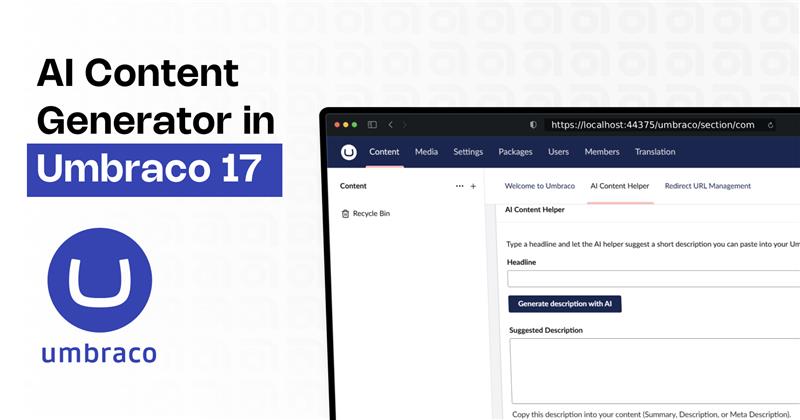
How I Built an AI Content Generator Dashboard in Umbraco 17
In this blog, I have shown how my App Plugin AI Content Helper generates descriptions directly from the Umbraco dashboard.
AI Content Helper for Umbraco 17 (Custom App Plugin Built from Scratch)
- I have built a fully custom App Plugin called AI Content Helper.
- This plugin behaves like a native feature inside the Umbraco backoffice, giving editors a one-click way to generate high-quality Content using Google Gemini AI.
The App Plugin features allows editors to:
- Page summaries
- Meta descriptions
- Blog intros
- Product descriptions
- Social posts
- Newsletter messages
Building this plugin not only demonstrates how flexible Umbraco 17 is, but also shows how easily AI can be embedded into editor workflows using the new extension API, modern JavaScript, and a simple backend integration layer.
Want this AI Plugin for your own Umbraco project?
If you’d like this App Plugin added to your website — or want a custom AI-powered feature for Umbraco 17 — feel free to contact us.
I can help with integration, customisation.
Note: This Package is not registered in official Nuget site you have to contact us for this App Plugins and we will be sharing App Plugin and Steps to configure in your machine.
Below are the step-by-step details of how the AI Content Helper dashboard was built and integrated into Umbraco 17.
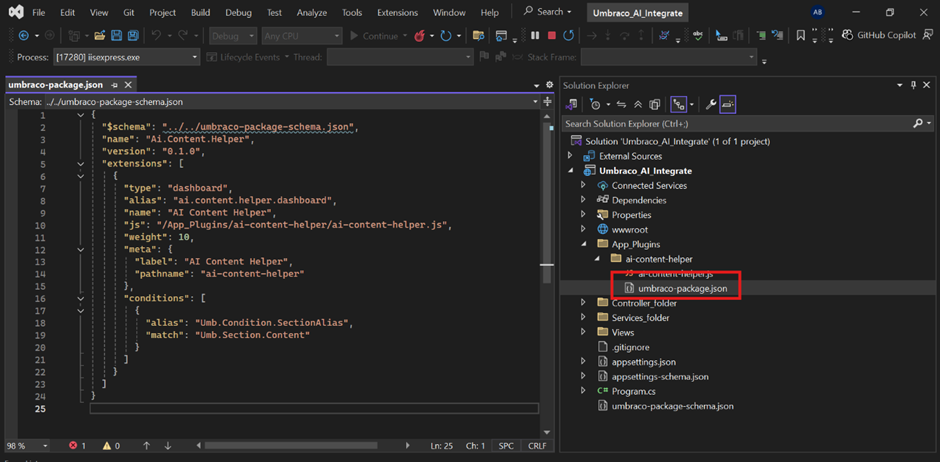
Step 1:- Custom Dashboard creation through App plugins.
I have created a custom dashboard by adding a umbraco-package.json inside an App_Plugins/ai-content-helper folder.
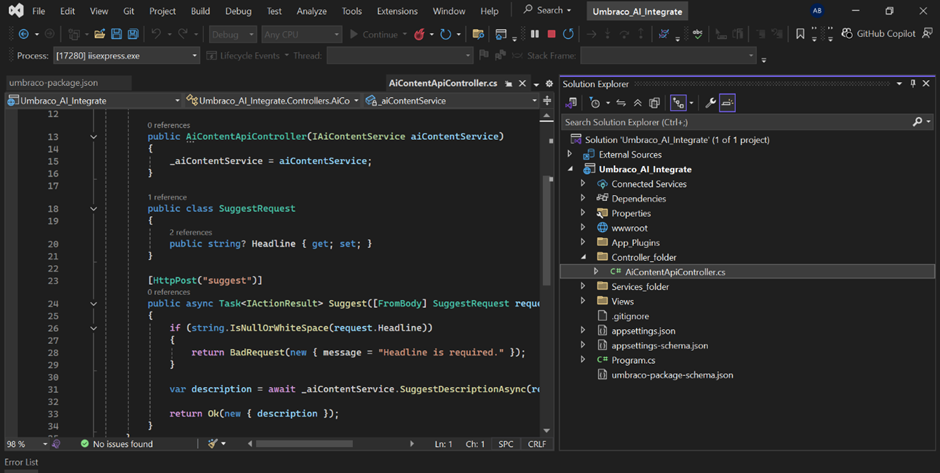
Step 2:- API AI Integration.
- ASP.NET Core API endpoint is implemented within Umbraco 17 to handle AI requests from the backoffice dashboard.
- The endpoint:
- Accepts a headline from the UI
- Calls the Google Gemini API on the server
- Returns the generated description to the dashboard
Step 3:- Connecting Umbraco to Gemini in appsettings.json
- For AI generation, I have used Google Gemini 2.5 Flash.
- In
appsettings.json, you have to write your API key, model, and endpoint."AiSettings": { "ApiKey": "YOUR_API_KEY", "Model": "gemini-2.5-flash", "Endpoint": "https://generativelanguage.googleapis.com/v1/models/gemini-2.5-flash:generateContent" }
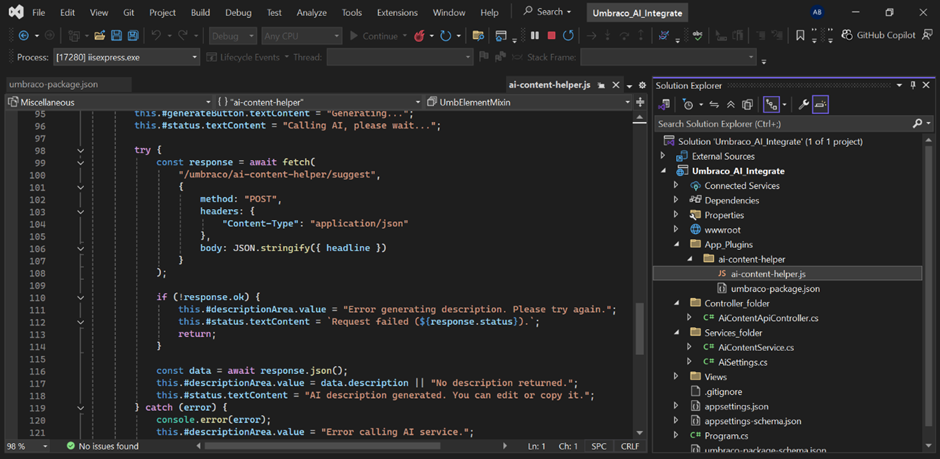
Step 4:- Dashboard Calls the AI API
- Inside my custom dashboard, I have added a small function that calls my C# API endpoint whenever the user clicks Generate Description with AI.
Step 5:- Umbraco Calls Gemini to Generate Content
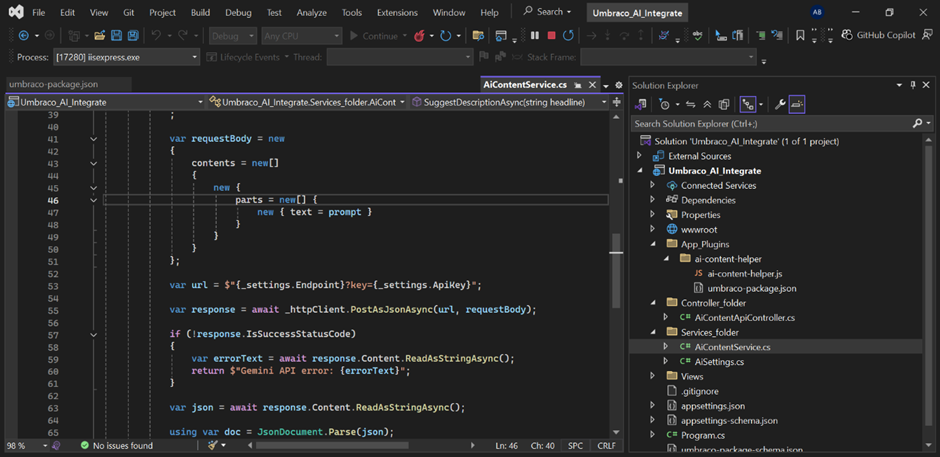
- I have created an AiContentService that communicates directly with Google Gemini.
- The dashboard only sends the headline — the service handles the prompt, request formatting, and parsing the response.
- I have added one prompt for generating description in services file
var prompt = $"Write a concise but informative 7-8 sentence description for the headline: \"{headline}\". " +
"Make it helpful, clear, and relevant for content readers.";
Step 6:- Final Results
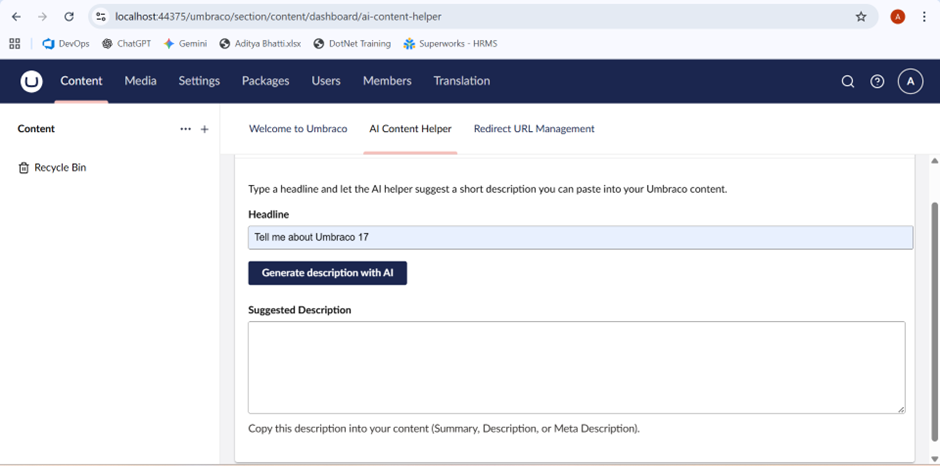
- You have to enter the headline in the input box then you have to click“Generate Description With AI”
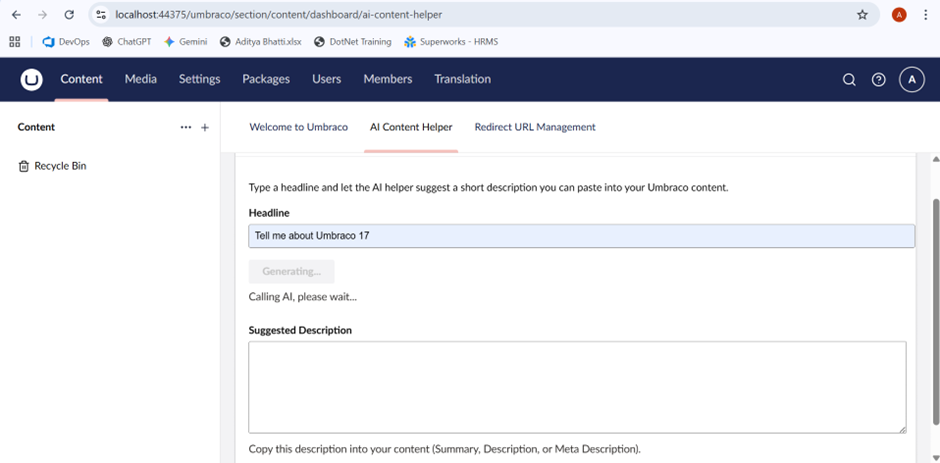
- By clicking Generate description with AI it will show you Calling AI please wait.
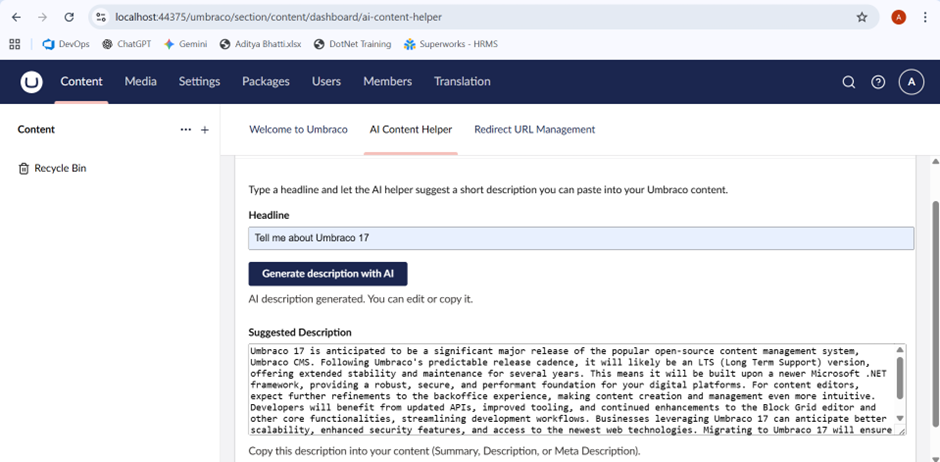
- Then you will get the response generated from AI in Suggested Description Box and then you can copy and paste this description in your Page so no need for generating descriptions , summary to go in any gpt, you can directly get from your backoffice itself.

Related Blogs

Most enterprises don't run one website. They have portfolios, regional stores,…
Read More
Umbraco makes it easy to ship fast. It also makes it easy to end up with business logic…
Read More
Most agencies won't give you a straight answer. They'll say, "it depends" and leave you…
Read MoreArroact is ready to help you grow.
Our Office

Westface, 519/520, Bhagwat Bungalows Rd, Thaltej, Ahmedabad, Gujarat 380059


Pay us a visit for a cup of coffee. We’ll be more than happy to welcome you.