How I Turned My Figma Designs into Code Using MCP and AI Agent.
As a UX/UI designer, I am fascinated by the the coding although I don’t know much about coding I was trying some no-code tools, but they are not fully customized. Then Figma launches the MCP server. I did some research and found out, How can I connect my Figma file to the AI agent that can code and organize my files and create the structure for the coding?
Steps to follow connecting figma mcp and AI agent
Step 1:-
First download or get the IDE for the coding structure to set up. So you can use any IDE to work on code using the AI agent.
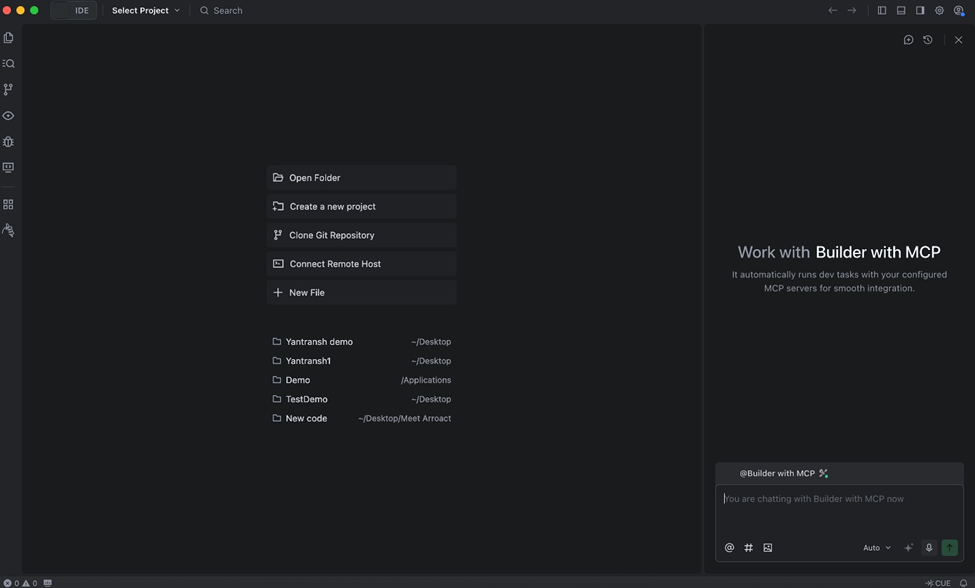
Step 2 :-
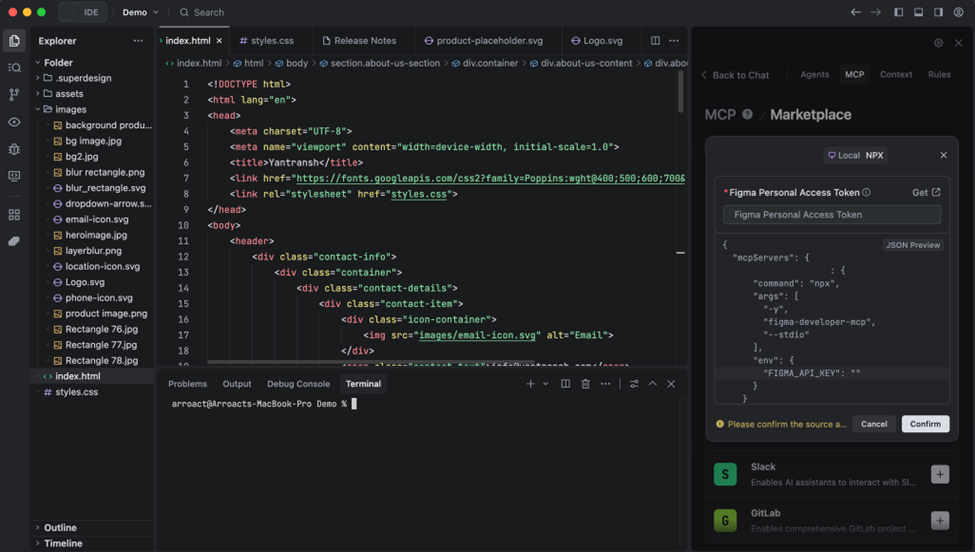
Then you need to get the MCP Server from the marketplace. The name of the MCP is Figma AI Bridge. It helps you to connect Figma with the coding IDE.
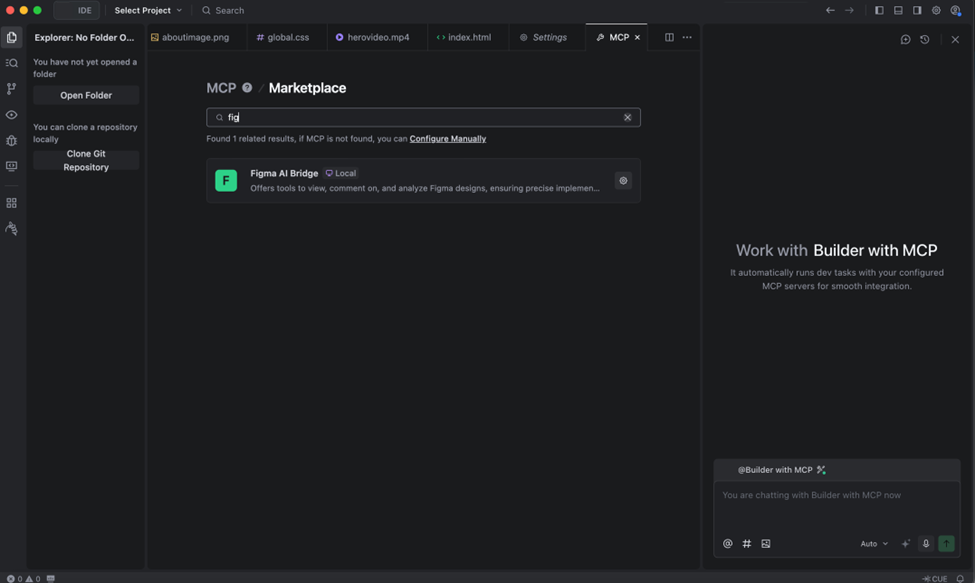
Step 3 :-
The next step is to get the Figma token from the Figma desktop app; then you need to copy the Figma token and paste it in the IDE MCP server part and confirm it.
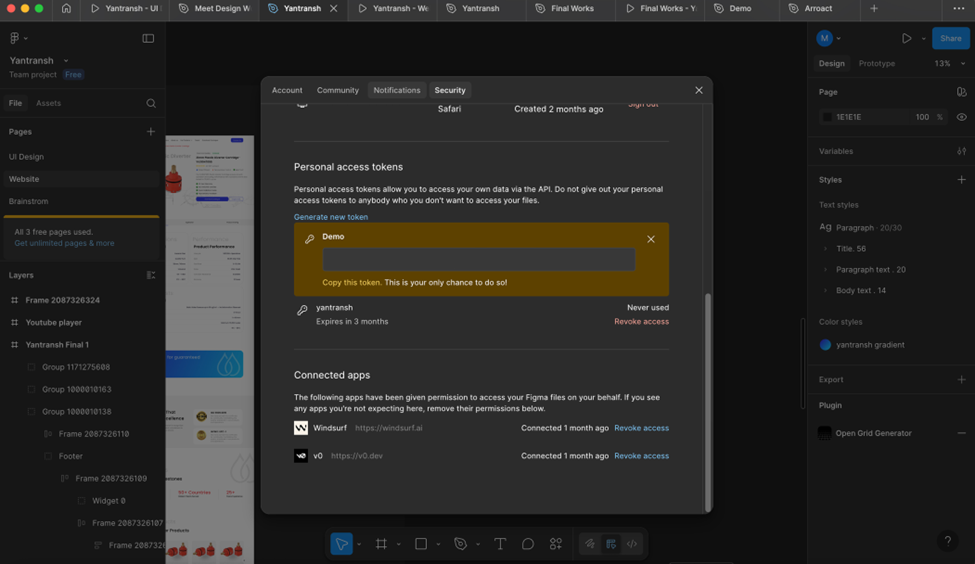
Step 4 :-
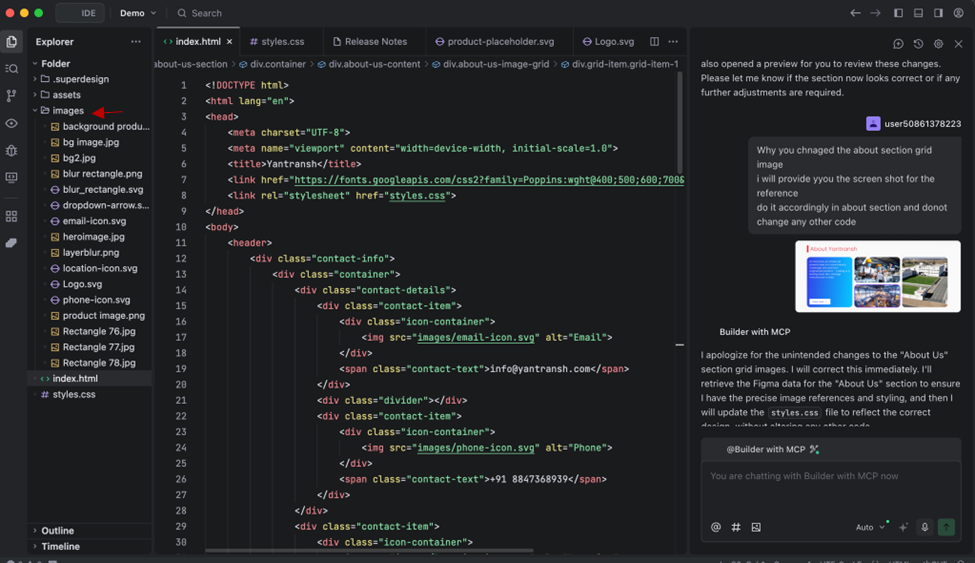
If you want to check if Figma is connected to IDE, just copy the frame/layer link from Figma and paste it in the Prompt editor, and then prompt, Make a folder named Demo and structure the file and download all the images and PNGs into the image folder. If images are downloaded into the folder, then your Figma is connected.
Step 5 :-
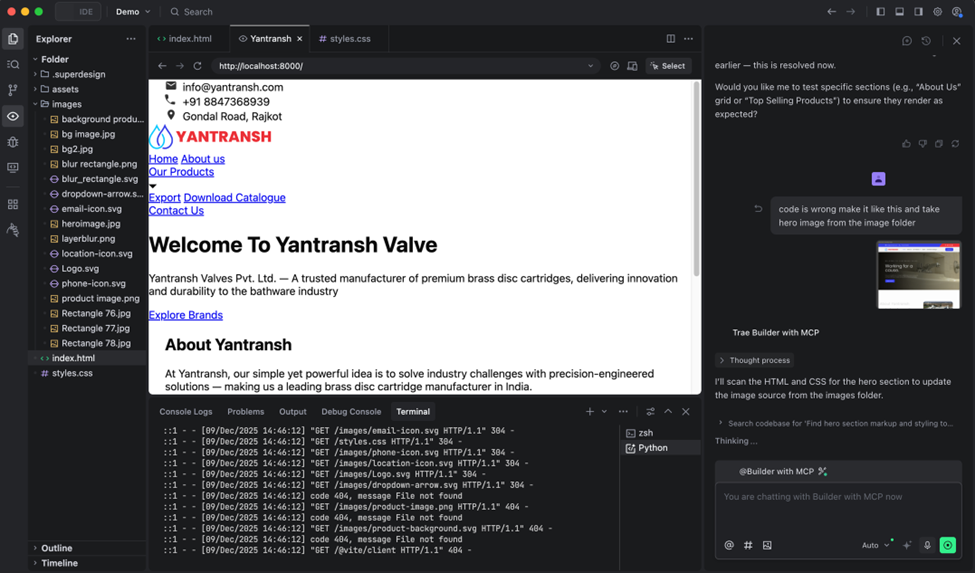
Start prompting and train your ai agent. At first it will not give you proper output, but you can provide the screenshot of your UI so it can give you appropriate output.
Note:-
When you design the frame, try to give the layers proper names so the AI agent can read them in the proper order. Try to give the name according to technicality.

Arroact is ready to help you grow.
Our Office

Westface, 519/520, Bhagwat Bungalows Rd, Thaltej, Ahmedabad, Gujarat 380059


Pay us a visit for a cup of coffee. We’ll be more than happy to welcome you.