How to convert Umbraco website 13 to 17
Umbraco
Important Note :-
- Umbraco 17 run required Visual Studio 2026 because .NET 10 only support in Visual Studio 2026 that reason is required.
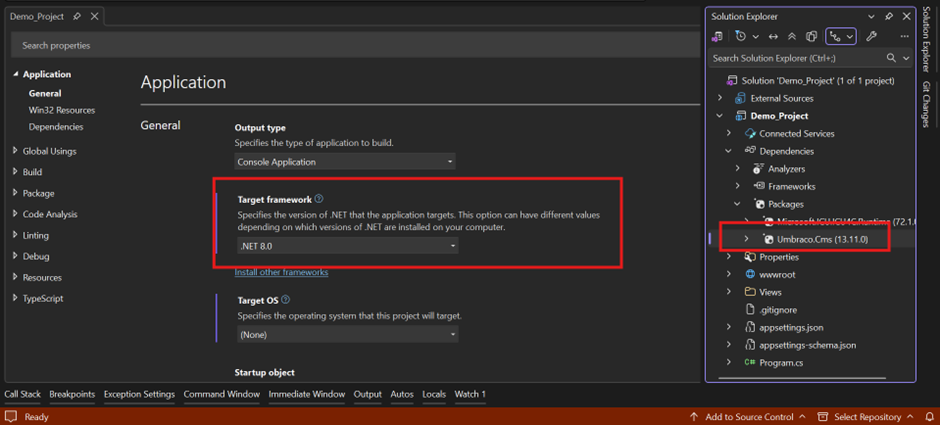
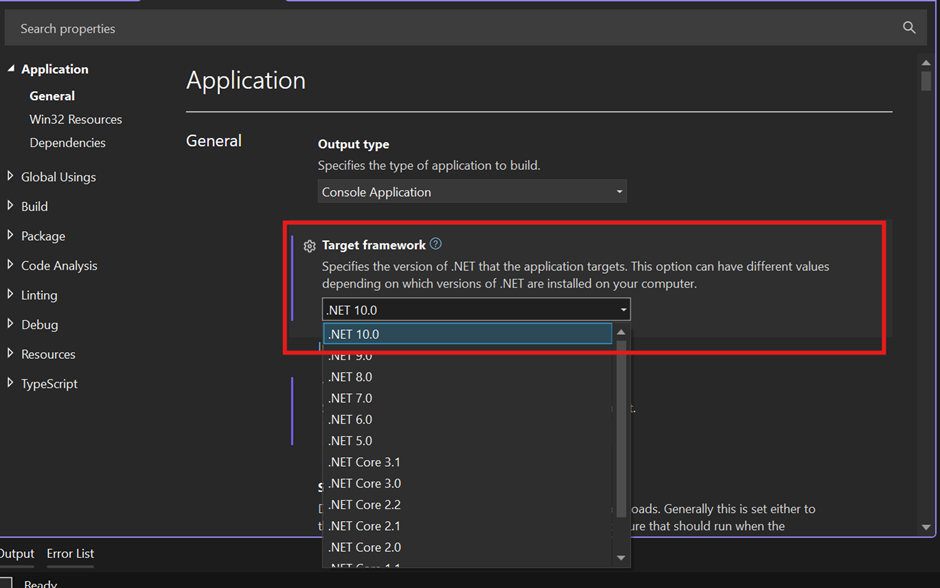
Step 1: Update target framework
- Highlight part in target framework in select .NET 10.0.
- Rebuild the solution.
Step 2: Update Umbraco CMS version
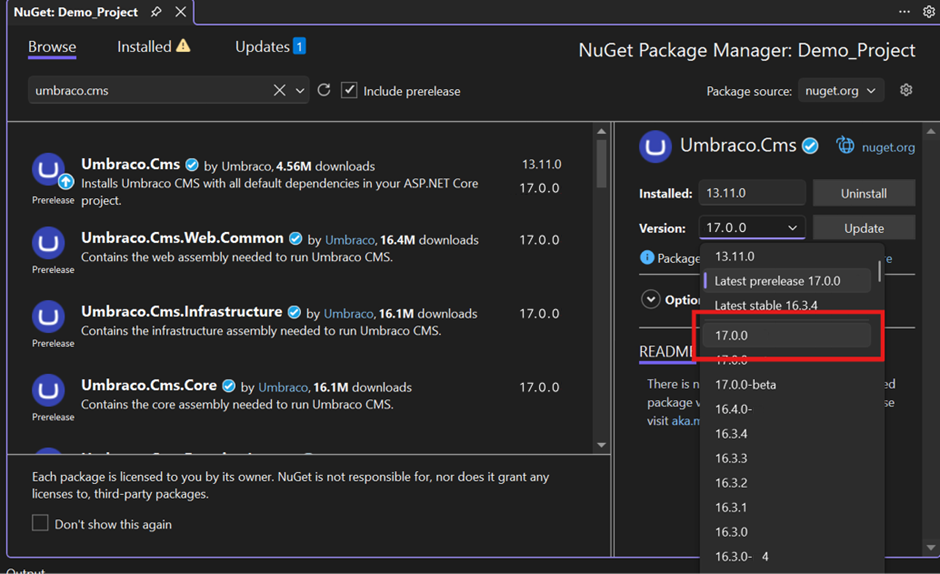
- Please open Nuget – Solution and update Umbraco version 17.0.0 as per below image highlight wise.
- Rebuild the solution.
Step 3: Error Solution
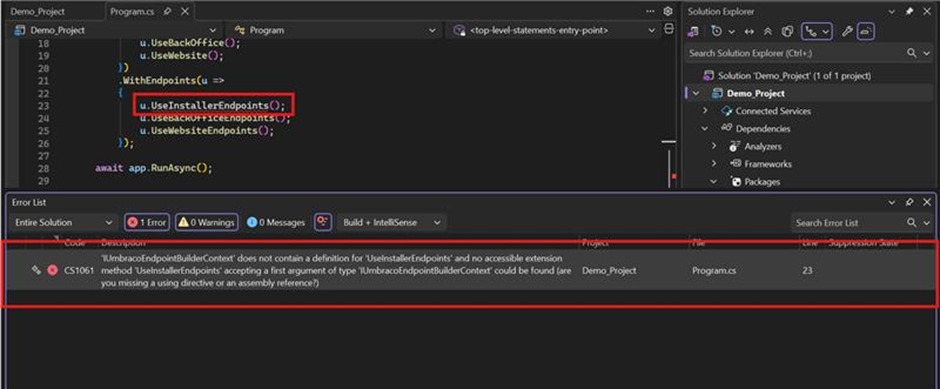
- After rebuild the solution getting below error in Program.cs class and remove highlight line in code.
- Rebuild the solution.
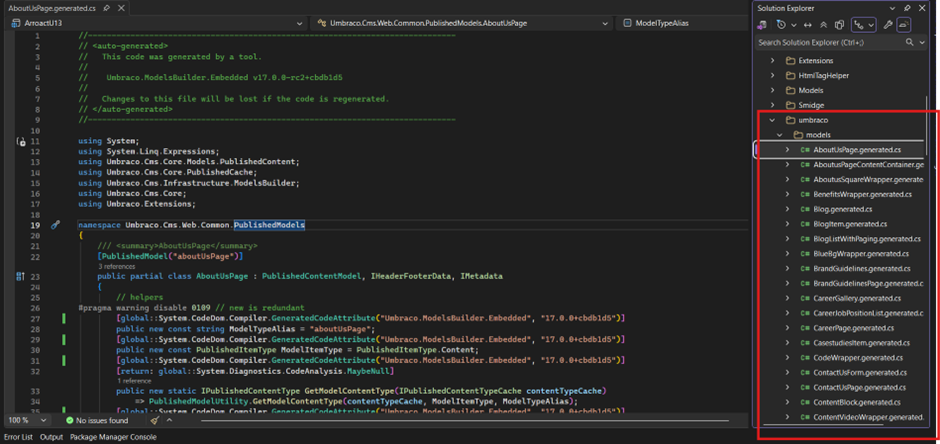
- After rebuild again show error in Umbraco auto generate model because Umbraco 17 in some model access property are changed so please delete this model folder and run the project with error.
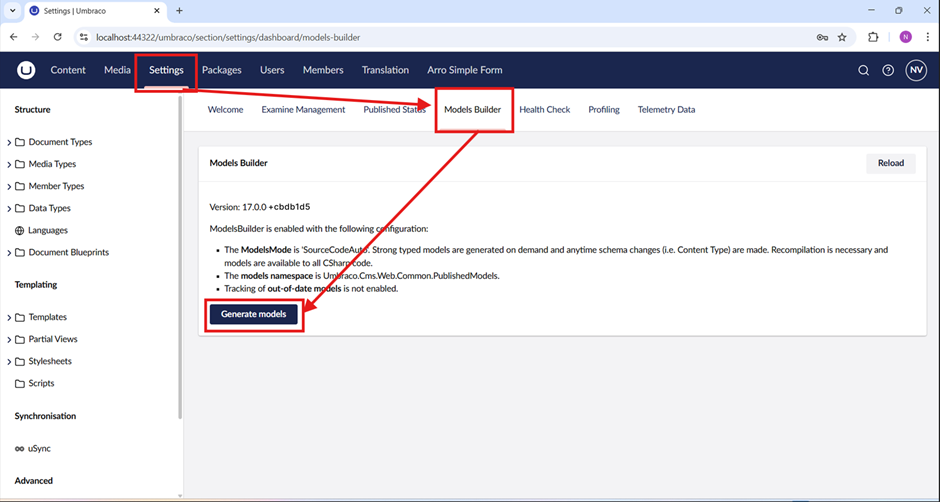
- After run successfully open setting and click on “Model Builder” then show below image window click button of “Generate Models” then create model as per new property wise.
- Rebuild solution error has been resolved.
Step 4: Run the website
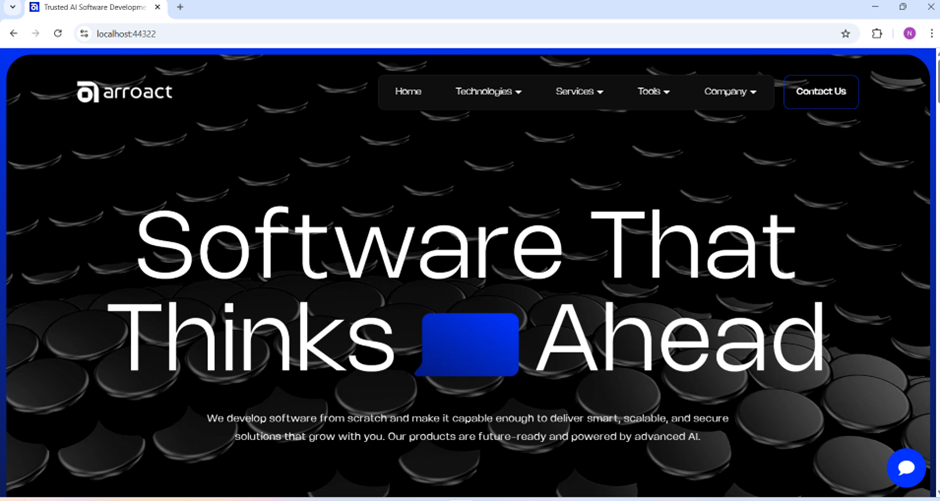
- My website is run successfully and completely convert 13 to 17 and everything is working fine.
Written by

Related Blogs

06 October 26 • 10 min read
Umbraco
Understanding the Umbraco Backoffice Context API: How Bellissima Extensions Share Data
The first time I built an extension for the new Umbraco backoffice, I got stuck on When I…
Read More
21 September 26 • 11 min read
Umbraco
Enterprise Multi-Tenancy Architecture: Designing Scalable Multi-Site & Multi-Lingual Platforms
Most enterprises don't run one website. They have portfolios, regional stores,…
Read More
15 September 26 • 14 min read
Umbraco
Test-Driven Development (TDD) & Clean Architecture in Umbraco: Decoupling Domain Logic from CMS Dependencies
Umbraco makes it easy to ship fast. It also makes it easy to end up with business logic…
Read MoreContact Us
Arroact is ready to help you grow.
Our Office

Westface, 519/520, Bhagwat Bungalows Rd, Thaltej, Ahmedabad, Gujarat 380059


Pay us a visit for a cup of coffee. We’ll be more than happy to welcome you.