
Investigating 'Failed to Start Service – Marketing Automation Engine' During Sitecore XP 10.3 Installation
In this article we will talk about how I carried out the process of solving a problem I encountered. The observations are based on my development environment and should not be considered a universal fix.
Introduction
Recently, I had the opportunity to work on an OrderCloud-related project that required setting up Sitecore XP 10.3 locally. During the installation, I repeatedly encountered an error stating that the Sitecore Marketing Automation Engine failed to start. Instead of repeatedly reinstalling Sitecore, I investigated the issue methodically and documented the journey.
The Problem
The Sitecore Installation Assistant kept stopping and giving the following error.
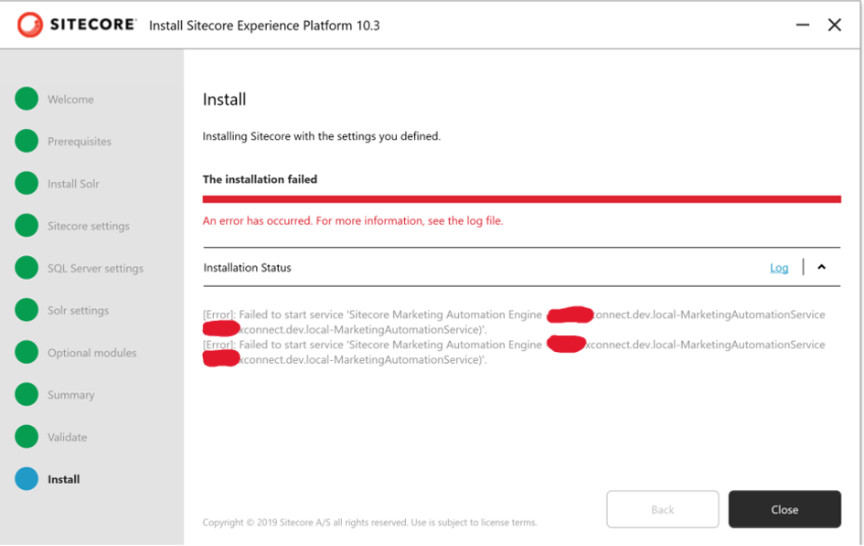
Figure 1. Sitecore Installation Assistant reporting 'Failed to start service - Sitecore Marketing Automation Engine'.
Research and Initial Investigation
Before making changes, I reviewed Sitecore Community discussions and other technical resources. I validated IIS, SQL Server, Solr, certificates, xConnect, Windows Services, and Event Viewer. I also tried recreating certificates, reinstalling Solr, recreating IIS sites, removing services, and performing clean installations. None of these resolved the issue in my environment.
A Key Observation
During another installation attempt, I monitored Windows Services while the installer was still running. Surprisingly, the Marketing Automation Engine reached the Running state even though the installer still reported a failure. This changed the direction of my investigation.
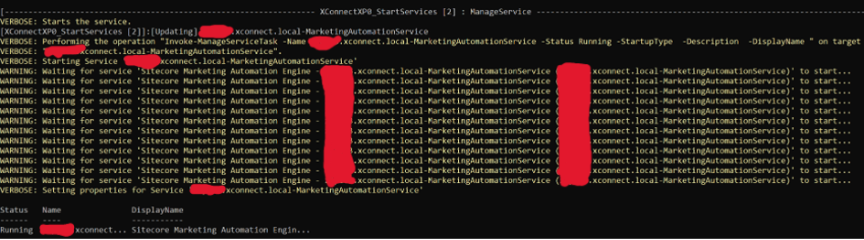
Figure 2. PowerShell output confirming the Marketing Automation Service entered the Running state.
What Finally Worked in My Environment
After several unsuccessful installation attempts, I removed the Sitecore databases created by previous failed installations, restarted Windows, and performed a clean installation. The installation was completed successfully, and the Sitecore services remained operational.
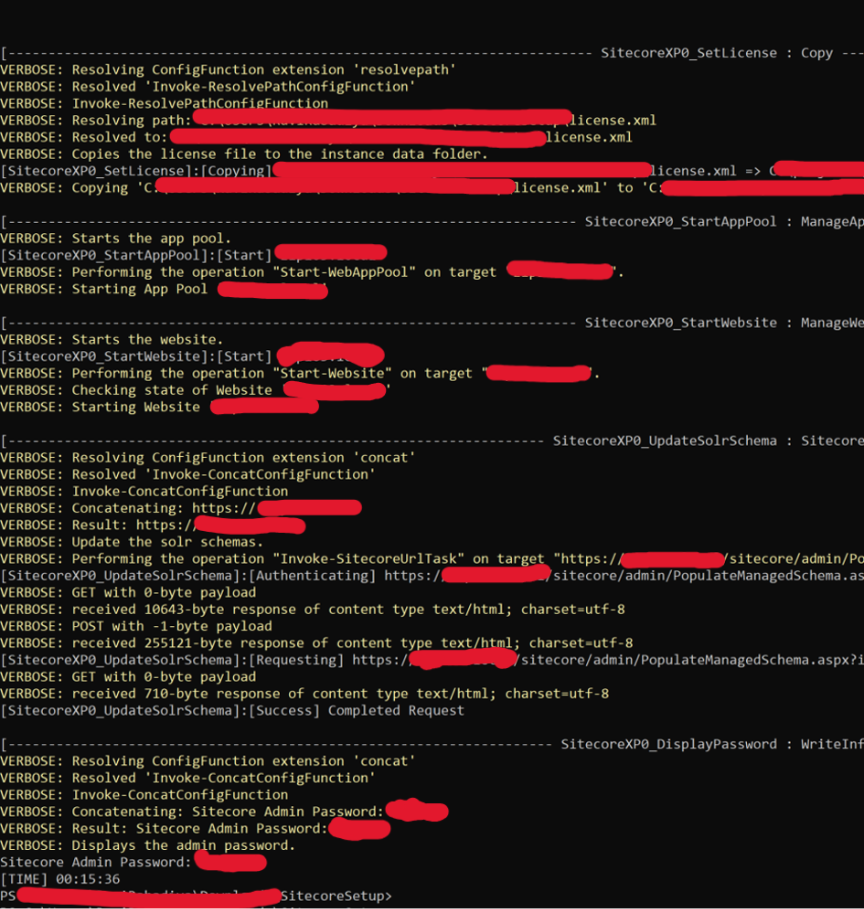
Figure 3. Installation completed successfully after cleanup and reinstall.
My Observation
I cannot conclude that deleting the databases is the definitive root cause because multiple cleanup activities were performed. However, removing the stale databases followed by a restart was the only significant change immediately before the successful installation, making it an important observation worth sharing.
Key Takeaways
- Don't rely only on the installer message.
- Validate Windows Services during installation.
- Review Event Viewer and xConnect logs.
- Community guidance is valuable, but each environment behaves differently.
- Record every troubleshooting step to identify meaningful changes.
Conclusion
This investigation improved my understanding of the Sitecore installation process and xConnect dependencies. I hope this case study helps other Sitecore developers troubleshoot similar installation issues more effectively.

Related Blogs

Every content team hits the same wall eventually: one campaign idea needs to become a…
Read More
If you have worked with Sitecore for a while you may remember when Sitecore marketing…
Read More
On September 22, 2026, Sitecore deprecated Explorer. Its core jobs, creating content and…
Read MoreArroact is ready to help you grow.
Our Office

Westface, 519/520, Bhagwat Bungalows Rd, Thaltej, Ahmedabad, Gujarat 380059


Pay us a visit for a cup of coffee. We’ll be more than happy to welcome you.