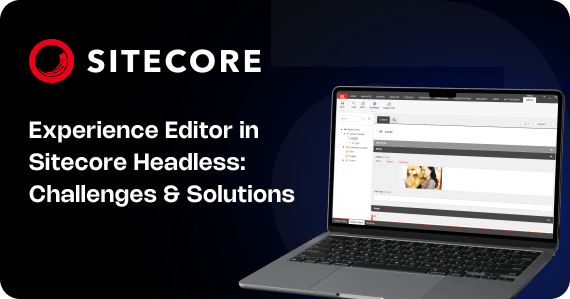
Experience Editor Limitations in Sitecore Headless: Architecture, Challenges, and Practical Solutions
Modern Sitecore implementations increasingly adopt a headless architecture using XM Cloud or JSS with frameworks such as Next.js and React. This shift enables improved performance, frontend flexibility, composable architecture, and independent deployment pipelines. However, one area where teams frequently encounter challenges is the Experience Editor.
Experience Editor behavior in headless solutions differs fundamentally from traditional Sitecore XP (MVC-based) implementations. These differences are architectural in nature and directly impact component behavior, rendering stability, and editing reliability.
This article provides a deep technical analysis of the limitations, explains the architectural causes, and outlines structured mitigation strategies for production-grade implementations.
1. Architectural Context: Traditional XP vs Headless Rendering
In traditional Sitecore XP (MVC):
- The rendering engine is server-side.
- HTML is generated directly within the Sitecore rendering pipeline.
- Experience Editor integrates tightly with the rendering process.
- Editing metadata is injected during server rendering in a controlled and predictable manner.
Because rendering and editing occur within the same execution pipeline, the system maintains structural consistency between preview mode and editing mode.
In contrast, headless architecture introduces separation:
- Sitecore manages content and layout data.
- Rendering is performed by a separate frontend application (React/Next.js).
- Layout data is delivered via Layout Service (REST or GraphQL).
- Experience Editor wraps the frontend application inside an iframe and injects editing metadata dynamically.
This separation introduces an adaptation layer. Experience Editor no longer controls rendering directly; instead, it modifies the rendered output of an external frontend application. This architectural boundary is the root cause of most observed limitations.
2. Iframe-Based Rendering Model
Experience Editor renders the frontend application within an iframe. This approach isolates the editing interface from the main content rendering environment. While isolation provides safety and separation, it introduces structural side effects.
When the application is rendered inside an iframe:
- A separate document context is created.
- Additional editing scripts are injected.
- DOM elements are wrapped with editing containers.
- Data attributes are dynamically appended.
- Inline editing markers are inserted.
For static server-rendered MVC views, this behavior is predictable. For React or Vue applications that rely on a strict and deterministic DOM hierarchy, these injected elements alter the structure in ways that can affect layout, measurement, and event handling.
For example, a component calculating its height based on its immediate parent may compute incorrect dimensions because the parent element has been wrapped in an editing container.
The more precisely a component depends on DOM structure, the higher the risk of instability in Experience Editor.
3. DOM Mutation and Structural Interference
Experience Editor enables inline editing by injecting markup around editable fields. This typically includes wrapper elements, metadata attributes, and control overlays.
These injections can cause:
- Additional nested div elements.
- Changes in CSS selector specificity.
- Unexpected flex or grid behavior due to wrapper interference.
- Shifts in absolute or relative positioning contexts.
Frontend components often assume control over layout. For example:
- A grid system expects direct child elements.
- A carousel library expects specific child node ordering.
- A CSS rule targets direct descendants.
When editing wrappers interrupt these assumptions, layout integrity is compromised.
In traditional XP, developers are accustomed to the injected markup. In headless, the injection occurs after frontend rendering, which means the frontend cannot predict the final DOM shape unless explicitly designed to handle it.
4. React Hydration Conflicts
Headless implementations using Next.js rely heavily on:
- Server-side rendering (SSR)
- Static generation (SSG)
- Hydration
Hydration requires the server-rendered HTML to match the client-side virtual DOM. When Experience Editor injects additional markup into the DOM, the client-side React tree may not align perfectly with what was originally rendered.
This mismatch can produce:
- Hydration warnings in the console.
- Forced client-side re-renders.
- Flickering during initial load.
- Inconsistent state initialization.
Hydration mismatch becomes more common when:
- Components conditionally render based on window or browser state.
- Randomized IDs are generated during render.
- Layout calculations are performed on mount.
- Third-party libraries manipulate DOM during initialization.
Because Experience Editor modifies the DOM after rendering, strict hydration expectations are more difficult to maintain.
5. Lifecycle Timing Issues
React lifecycle hooks such as useEffect and useLayoutEffect are sensitive to timing and DOM availability. Experience Editor introduces additional scripts and event listeners that can influence lifecycle timing.
Common issues include:
- useEffect running before editing scripts finalize DOM modifications.
- Layout calculations occurring before editing overlays are applied.
- Scroll-based observers misfiring due to injected containers.
- Event listeners binding to incorrect nodes.
Components that rely on precise mount timing may behave inconsistently in editing mode compared to preview mode.
6. Impact of Client-Only Logic
Headless frontend applications frequently include advanced UI logic:
- Animated transitions
- Carousels
- Lazy-loaded images
- Intersection observers
- Resize observers
- Scroll position calculations
- Portal-based modals
- Third-party animation engines
These patterns assume stable DOM structure and predictable rendering flow. When editing wrappers alter the DOM hierarchy, the logic may break.
For example:
- A carousel expecting specific child elements may fail when children are wrapped.
- Intersection observers may trigger incorrectly because bounding rectangles change.
- Modal portals may conflict with iframe boundaries.
In Experience Editor, the goal is editing stability. Advanced UI behavior increases structural complexity and therefore increases risk.
7. Limitations Compared to Traditional XP Experience Editor
Traditional XP Experience Editor benefits from:
- Full integration into the MVC rendering pipeline.
- Direct awareness of rendering definitions.
- Stable and predictable injection points.
- Server-side rendering control.
Headless implementations decouple these layers. As a result:
- Editing is not inherently part of rendering.
- Metadata injection is reactive rather than native.
- Component behavior must tolerate external DOM mutation.
- Full parity with XP editing experience does not currently exist.
This limitation is architectural and should be accounted for during system design.
Structured Mitigation Strategies
1. Treat Editing Mode as a First-Class Rendering State
Components should explicitly account for editing context. Most headless SDKs provide page editing state through context objects.
When editing mode is active:
- Disable animations.
- Avoid layout measurements.
- Render simplified component versions.
- Prevent expensive client-only effects.
Creating a dedicated editing-safe rendering path increases stability.
2. Avoid Strict Structural Assumptions
Components should not rely on:
- Exact parent-child depth.
- Direct DOM traversal.
- Hardcoded structural assumptions.
Prefer:
- CSS layout techniques over JavaScript measurements.
- Ref-based targeting instead of query selectors.
- Defensive programming patterns that tolerate wrappers.
3. Separate Interactive and Presentational Logic
Divide components into:
- Presentation layer (static markup).
- Interaction layer (behavior enhancements).
In editing mode, render only the presentation layer. Enable interactive enhancements only in preview or live mode.
This pattern reduces risk without sacrificing production behavior.
4. Validate Third-Party Libraries Early
Not all UI libraries are editing-safe. During component selection:
- Test inside Experience Editor immediately.
- Validate behavior with injected wrappers.
- Confirm hydration compatibility.
- Avoid libraries that mutate DOM unpredictably.
Library choice directly affects editing reliability.
5. Favor Composable, Smaller Components
Large components combining multiple features increase editing instability. Instead:
- Use granular components.
- Leverage placeholders.
- Maintain predictable prop structures.
- Reduce nested conditional logic.
Smaller units are easier to debug and stabilize in editing context.
6. Establish Testing Protocols for Editing Mode
QA processes should include:
- Inline editing validation.
- Drag-and-drop verification.
- Layout stability checks.
- Hydration warning monitoring.
- Console error tracking.
Preview-only testing is insufficient for headless projects.
Conclusion
Experience Editor limitations in Sitecore Headless arise from architectural separation between content management and frontend rendering. The iframe-based editing model, dynamic DOM injection, and modern frontend lifecycle expectations create inherent constraints.
These limitations are not defects but consequences of decoupled design.
Successful headless implementations require:
- Editing-aware component architecture.
- Simplified editing-mode rendering.
- Defensive DOM assumptions.
- Early validation in Experience Editor.
- Careful library selection.
Headless architecture provides flexibility, scalability, and modern development capabilities. However, editing stability must be intentionally engineered rather than assumed.
Designing with Experience Editor constraints in mind ensures predictable behavior, reduces integration friction, and results in more maintainable long-term implementations.

Frequently Asked Questions
Related Blogs

Read More
Read More

Read More