
Step-by-Step Guide to Installing Sitecore 10.4.1 Locally
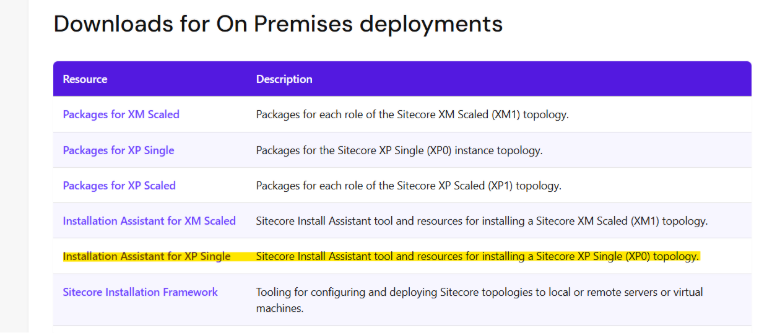
- Download correct package of sitecore 10.4.1 exe file from the sitecore developer site, and download from On Premises deployments. Download highlighted package for sitecore exe setup.
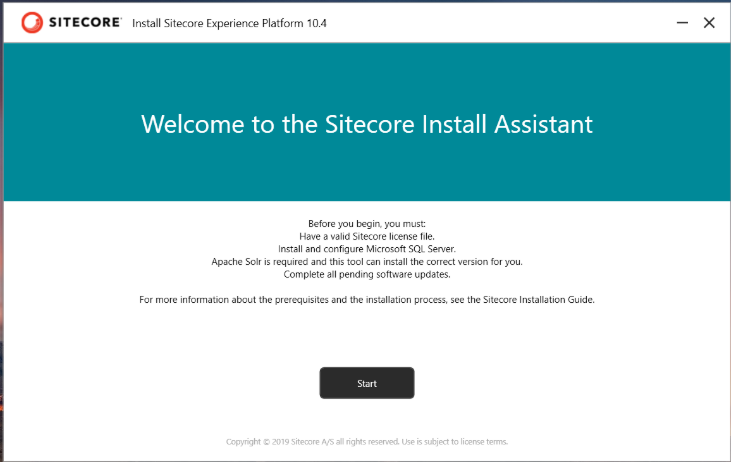
- Once you download package extract that file and click on the sitecore exe file to start your installation process.
Note: Before you click on the setup.exe file, there is a minor change you need to undertake during the installation process of SOLR. In Sitecore 10.4.1 when you start installing SOLR, the solr file gets installed with multiple names in a single file, the prefix which you have provided and the file both come together as one file name. i.e. solr-9.8.1solr-9.8.1 to avoid such naming in the solr file we need to update "Solr.Service" patch as "Solr.Service": "[concat(variable('Sol.FileName'))]”, in Solr-SingleDeveloper.json file and saved it to avoid such cases.

- Now you can click on the setup.exe file.
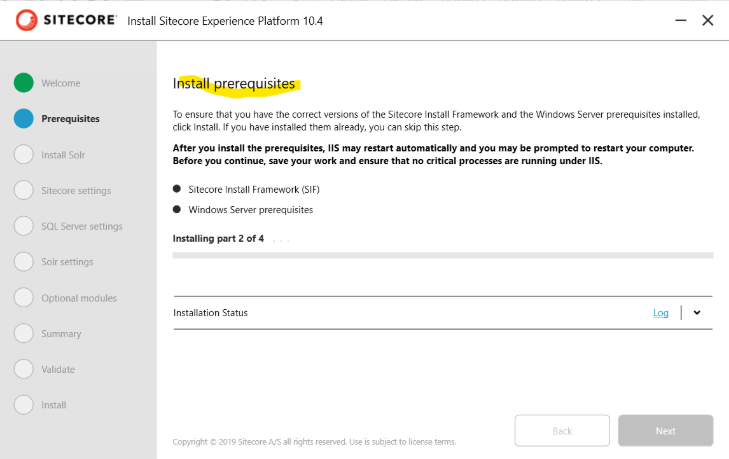
- Download pre-requisites for sitecore.
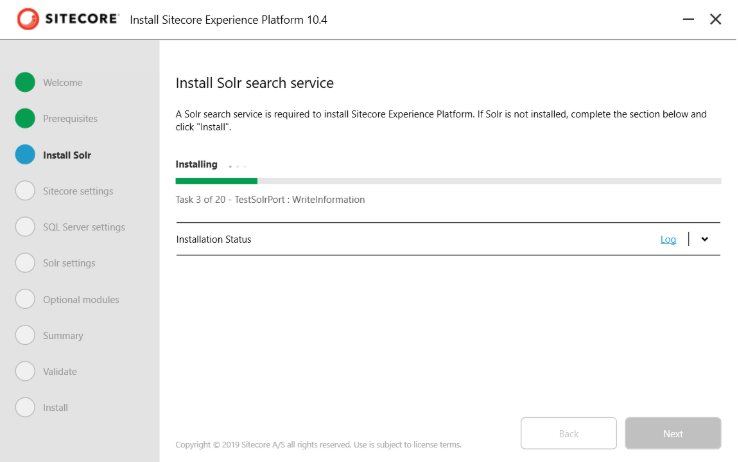
- Install Solr Server.
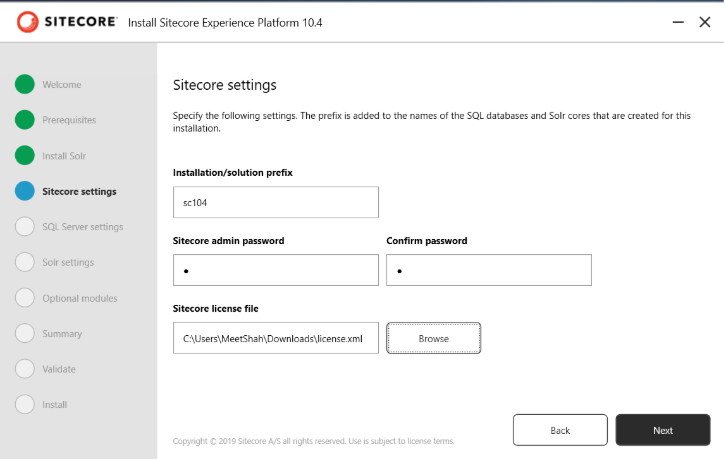
- Fillup the required details and attached sitecore certificate for next step.
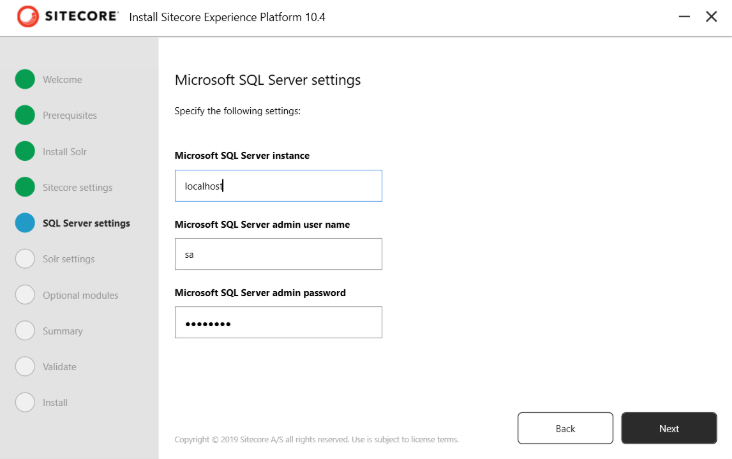
- Fillup the SQL Server details with instance name, username and password.
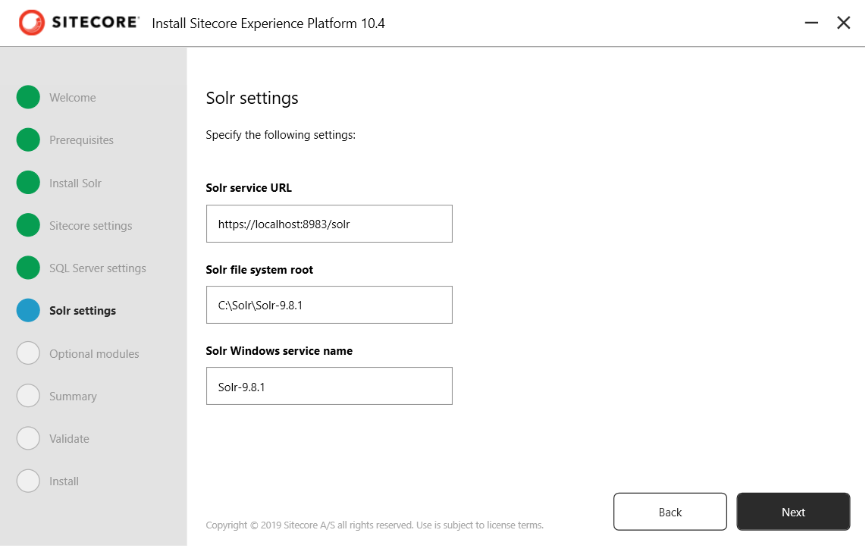
- Check all the details for solr setting which we previously installed.
- For optional module, if you are work on SAX part then you can check on the checkbox otherwise, we can skip this part and move ahead with installation part.
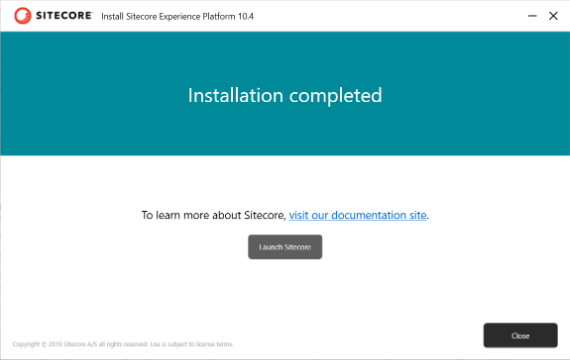
- Once the installation process is complete you will see the below screen, and then click on the launch button, you will see another screen on the browser side.
Your localhost screen will look like this as a plain vanilla instance.

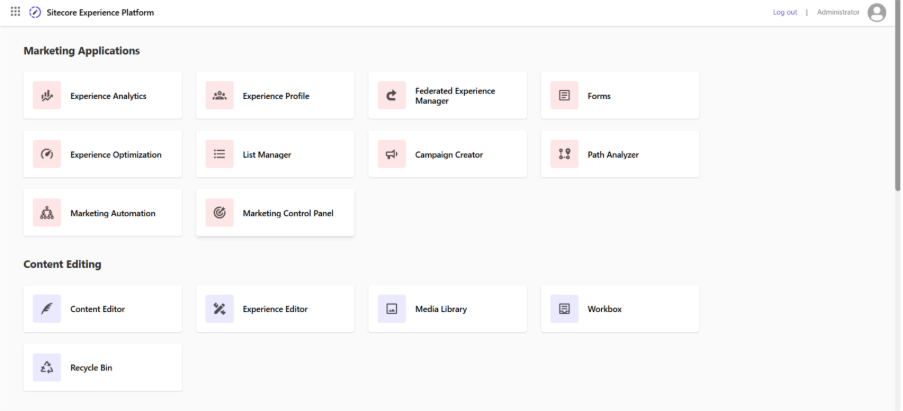
Your CMS is look like this.
FAQ — Sitecore 10.4.1 Upgrade
1.What is new in Sitecore 10.4.1?
Sitecore 10.4.1 includes support for Solr 9.8.1, Identity Server updated to .NET 8, enforced encrypted SQL connections, Application Insights via connection strings, security fixes, container and deployment improvements, plus various bug fixes and performance enhancements.
2.How can I upgrade my existing Sitecore instance to version 10.4.1?
At Arroact we handle the full upgrade: compatibility analysis, migrations (databases & content), dependency updates, testing, and deployment — minimizing downtime and risk.
3.How much time is required to upgrade my old Sitecore version to the latest one?
With Arroact AI Assistant and our automated migration tools, typical content migrations can be completed within 2 days. Highly customized or complex environments may require additional time for testing and compatibility work.
Note: estimate assumes content-focused migration — custom code, modules, or integrations can change the timeframe.

Related Blogs

On September 22, 2026, Sitecore deprecated Explorer. Its core jobs, creating content and…
Read More
For years, a big part of Sitecore work happened by clicking. You built templates in the…
Read More
I've spent a good part of this year wiring AI assistants into Sitecore projects. The…
Read MoreArroact is ready to help you grow.
Our Office

Westface, 519/520, Bhagwat Bungalows Rd, Thaltej, Ahmedabad, Gujarat 380059


Pay us a visit for a cup of coffee. We’ll be more than happy to welcome you.