Umbraco 17 GraphQL Package – Build Flexible Headless APIs with Arroact.Umbraco.GraphQL
Are you building a headless website using Umbraco 17 and finding the Delivery API difficult to filter or customize?
When working with Umbraco Headless, developers often need better control over the response structure, property filtering, and payload size. The default Delivery API provides data, but filtering specific properties and managing clean JSON responses can become complex — especially for frontend or mobile applications.
To solve this problem, we created a custom package: Arroact.Umbraco.GraphQL
This package allows complete GraphQL assist in Umbraco 17, permitting developers to question most effective the information they need, manipulate reaction shape, and construct lightweight headless packages correctly.
Why Use GraphQL in Umbraco 17?
With this package:
- You can request only required properties
- You can filter data directly from the frontend
- Each property includes its key, datatype, and value
- The JSON payload remains lightweight
- Perfect for headless and mobile applications
- Full control over response structure
This makes it easier to build scalable Umbraco Headless solutions using modern frameworks like Next.js.
Note: This package works only with Umbraco 17 or higher.
How to Install Umbraco 17 GraphQL Package:
Open Umbraco project in Visual Studio Go to: Right Click Project>> Manager NuGet Package>> Browse
Search for:Arroact.Umbraco.GraphQL
Or install directly from NuGet:
https://www.nuget.org/packages/Arroact.Umbraco.GraphQL
You can also find it on the Umbraco Marketplace:
https://marketplace.umbraco.com/package/arroact.umbraco.graphql
Configure GraphQL Endpoint
After installation, configure your API key because GraphQL endpoints use Bearer token authentication.
Add your custom API key in: appsettings.json
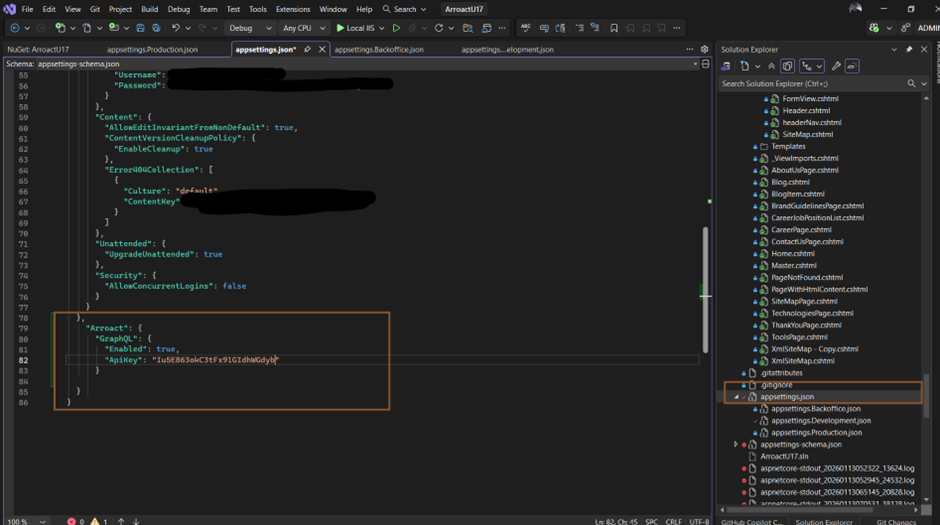
Enable the GraphQL endpoint configuration then Build or rebuild your solution run the project Enable GraphQL Section in Umbraco Backoffice once the project runs successfully:
Login to /Umbraco
Go to Users >> Select User Groups >> Click Administrators
Under Sections, enable Arroact GraphQL
Save changes
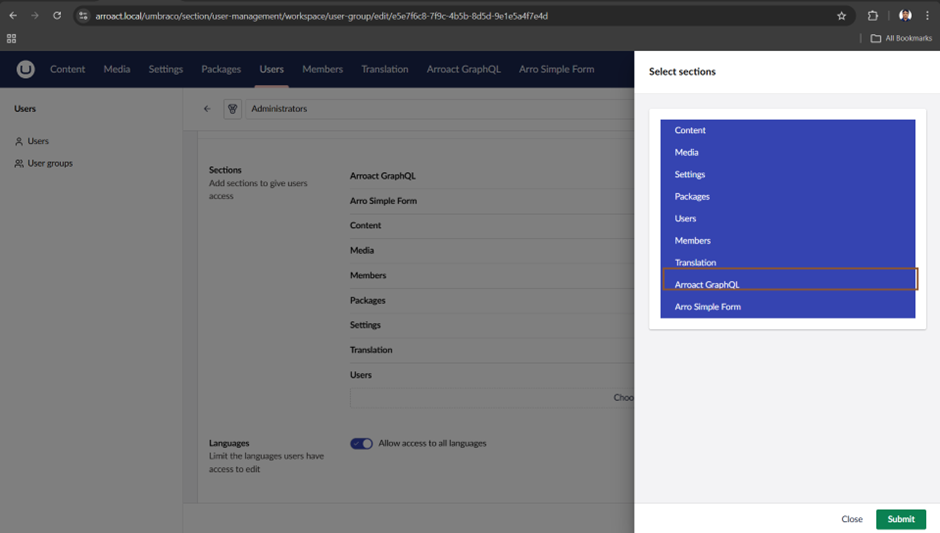
If Arroact GraphQL option not appear in top menu, perform a hard refresh or restart the application.
GraphQL IDE in Umbraco 17
After configuration, you will see the Arroact GraphQL menu in the backoffice the built-in IDE allows you to:
Create queries
Test queries
Pass variables
View response time
Generate cURL commands
If API key configuration is missing, you will see a dashboard notification.
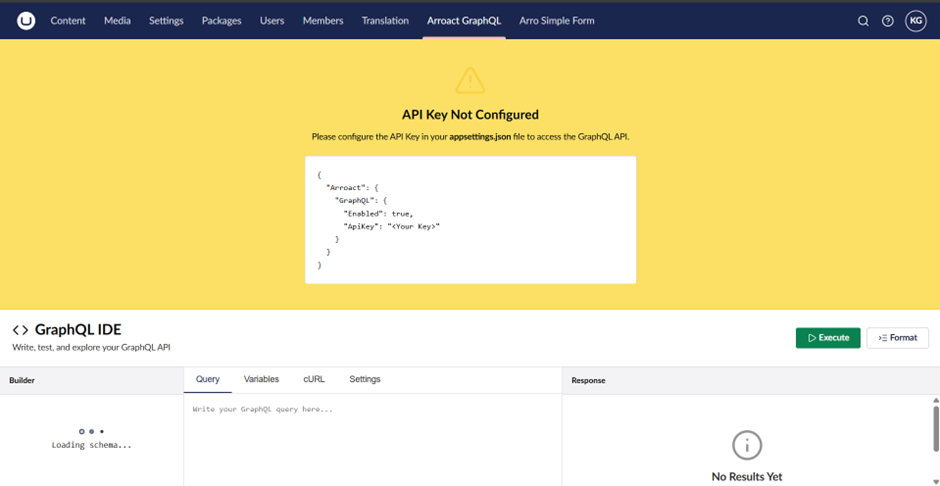
Available GraphQL Endpoints
Currently, the package provides 7 GraphQL endpoints:
Content
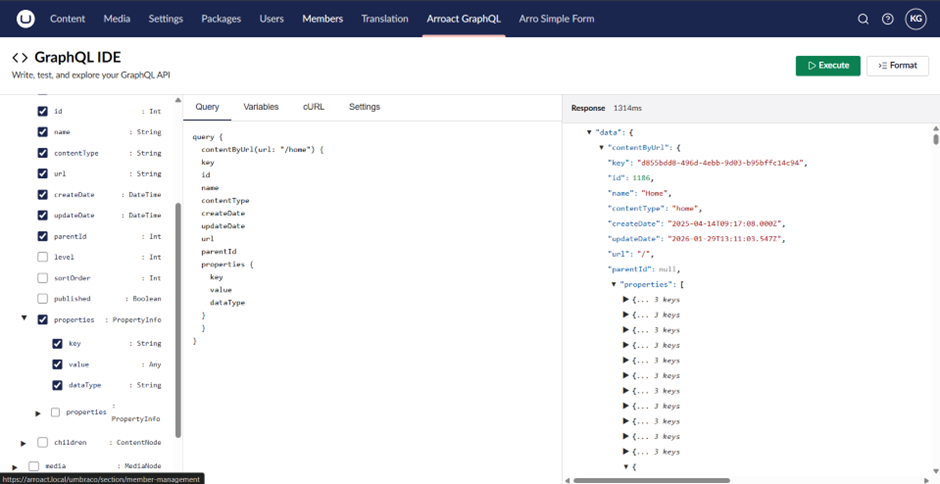
Returns all content in JSON format You can select specific fields like id,key,contentType,level,children,properties(Each property includes Key, DataType, and Value).
contentById
Returns a single content item by ID including all properties and related data.
contentByUrl
Returns a single content by URL If the Content does not exist by url, it returns null
media
Returns all media items with properties, size, and URL.
mediaById
Returns a single media item by ID
mediaByUrl
Returns a media item by URL.
blockGridById
Returns Block Grid data by passing Page ID and Property Alias
This makes it easier to build dynamic headless page rendering.
IDE Sections Overview
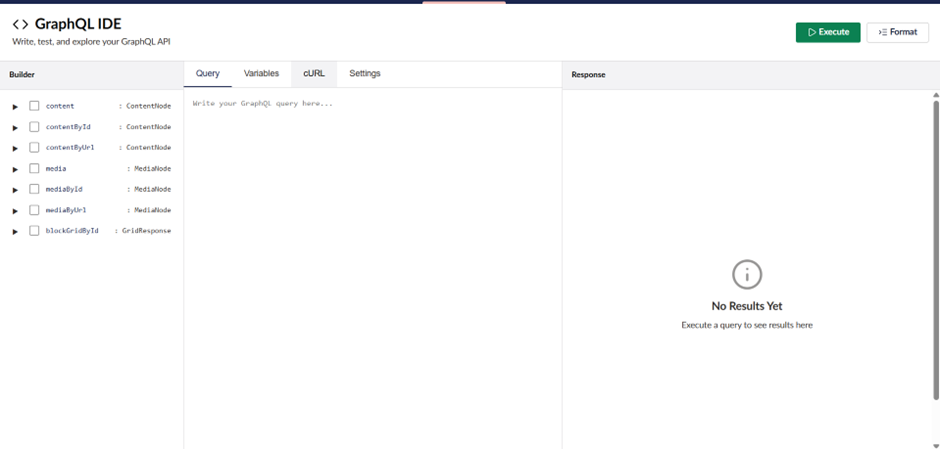
Inside the GraphQL IDE, you will see 4 main sections
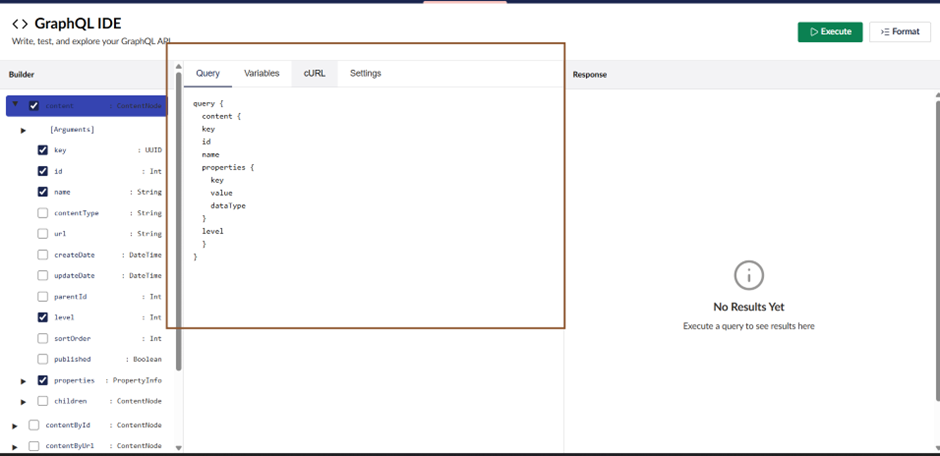
Query
Create and test GraphQL queries by selecting endpoints and fields.
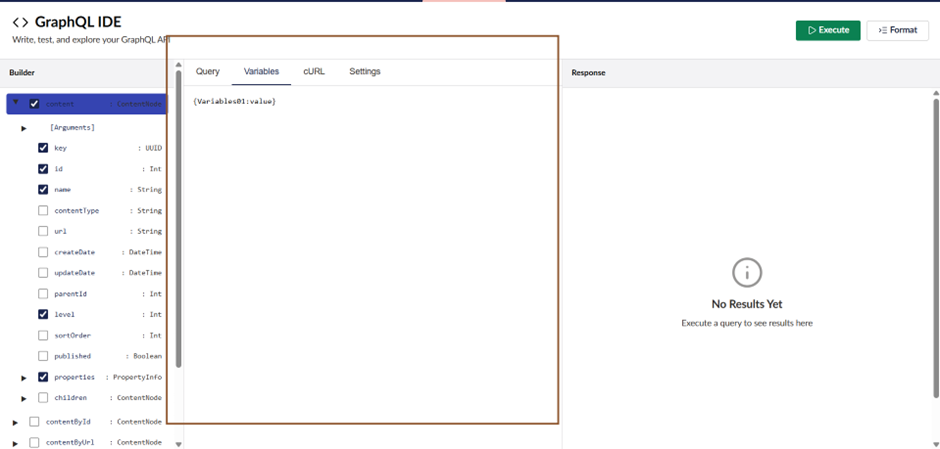
Variables
Pass dynamic variables to filter or customize your data.
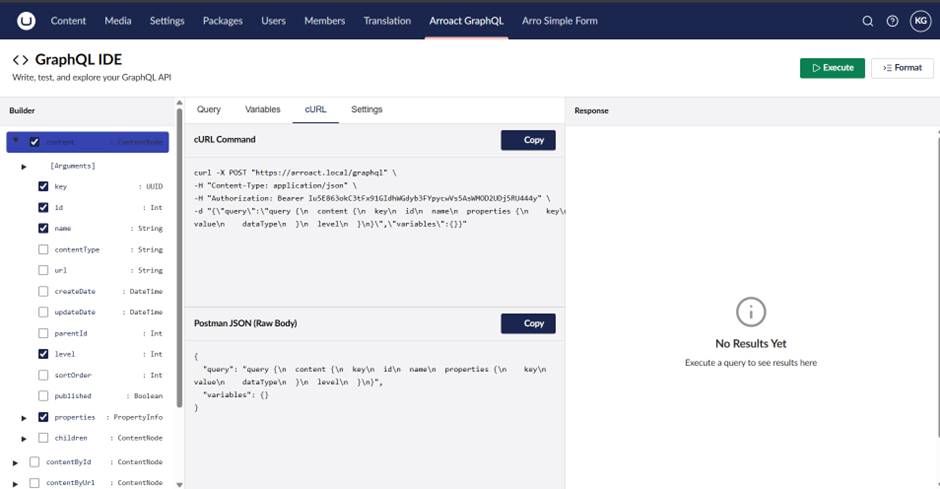
cURL
Generate equipped-to-use cURL commands for testing in Postman or other API equipment.
Settings
Manage:GraphQL endpoint, HTTP headers and Bearer token
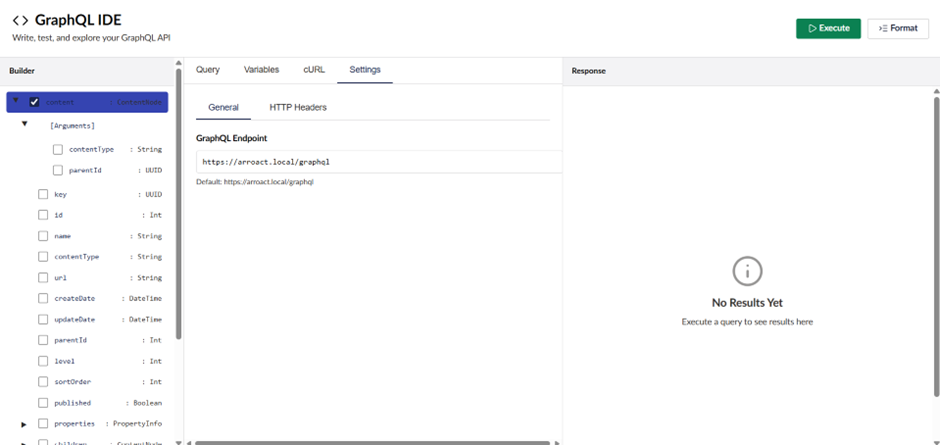
Response Panel
The Response section displays: JSON output and Execution time This helps developers test and optimize queries efficiently.
What’s Coming Next?
We are currently working on Umbraco Forms GraphQL endpoint A headless starter kit built with Next.js Extended filtering and advanced querying options The Next.js Starter Kit will soon be available on GitHub. Do you need help or want to contribute? We welcome feedback and improvements.
Do you need help or want to contribute? We welcome feedback and improvements. If you have Questions, Suggestions, Issues and Feature requests
If you come across troubles the usage of the package or have recommendations for upgrades, please sense free to create an trouble on GitHub. We often evaluate comments and make updates based on realistic implementation experience.
Closing Note
When building headless solutions in Umbraco 17, having better control over the data layer makes a big difference. This GraphQL package was created to give that extra flexibility where the standard Delivery API may not be enough.

Related Blogs

Most enterprises don't run one website. They have portfolios, regional stores,…
Read More
Umbraco makes it easy to ship fast. It also makes it easy to end up with business logic…
Read More
Most agencies won't give you a straight answer. They'll say, "it depends" and leave you…
Read MoreArroact is ready to help you grow.
Our Office

Westface, 519/520, Bhagwat Bungalows Rd, Thaltej, Ahmedabad, Gujarat 380059


Pay us a visit for a cup of coffee. We’ll be more than happy to welcome you.